




Find your shortcut
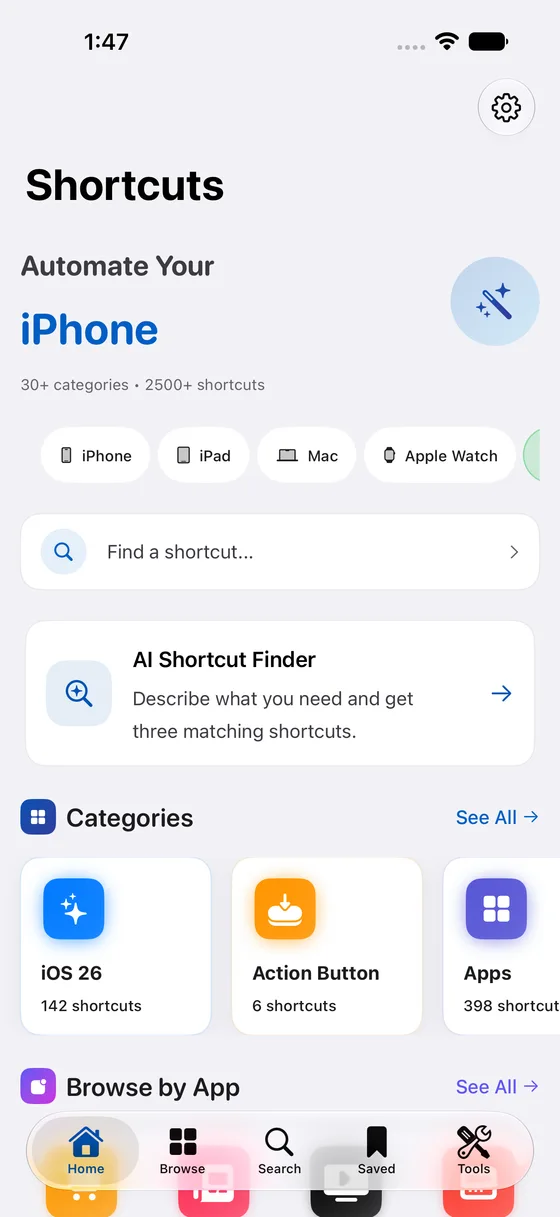
Browse by task or app. Read what a shortcut does and which devices it supports.
Turn the things you do on repeat into a few simple taps. Start with 2,500+ Apple Shortcuts, organized around your day.


 Take me to my carMake PDFCalculate tipFind it. Save it.
A few handpicked ways to make your next task easier.
Gets walking directions to the location of your Parked Car.
Create a PDF from an item shared with the Shortcuts extension via the share sheet. The PDF is previe...
Asks you to enter in the bill, then the percentage to tip, then calculates the tip total plus total...

Starts dictation, then translates the text to English (or a language of your choice).

Create a reminder for the webpage currently open in Safari or Safari View Controller using the webpa...

Translate, find phone numbers, urls, address, emails from images, pdfs, URLs, notes &action them

Sleep Timer for x minutes with fade out.

Extract any number of pages from a PDF file
Describe what you want to do. Get up to three matching shortcuts from the library, then refine your request until you find the right fit.
Try AI Finder in the app Included in the Shortcuts Library app.Browse by task or app. Read what a shortcut does and which devices it supports.
Keep favorites together, find related shortcuts, and choose what to install.
Review the actions in Apple Shortcuts, adjust the details, and add it to your day.
 LESS BUSYWORK STARTS HERE
Your shortcuts, favorites, AI Finder, and useful tools.
Together on your iPhone and iPad.
